Lamatic Agents
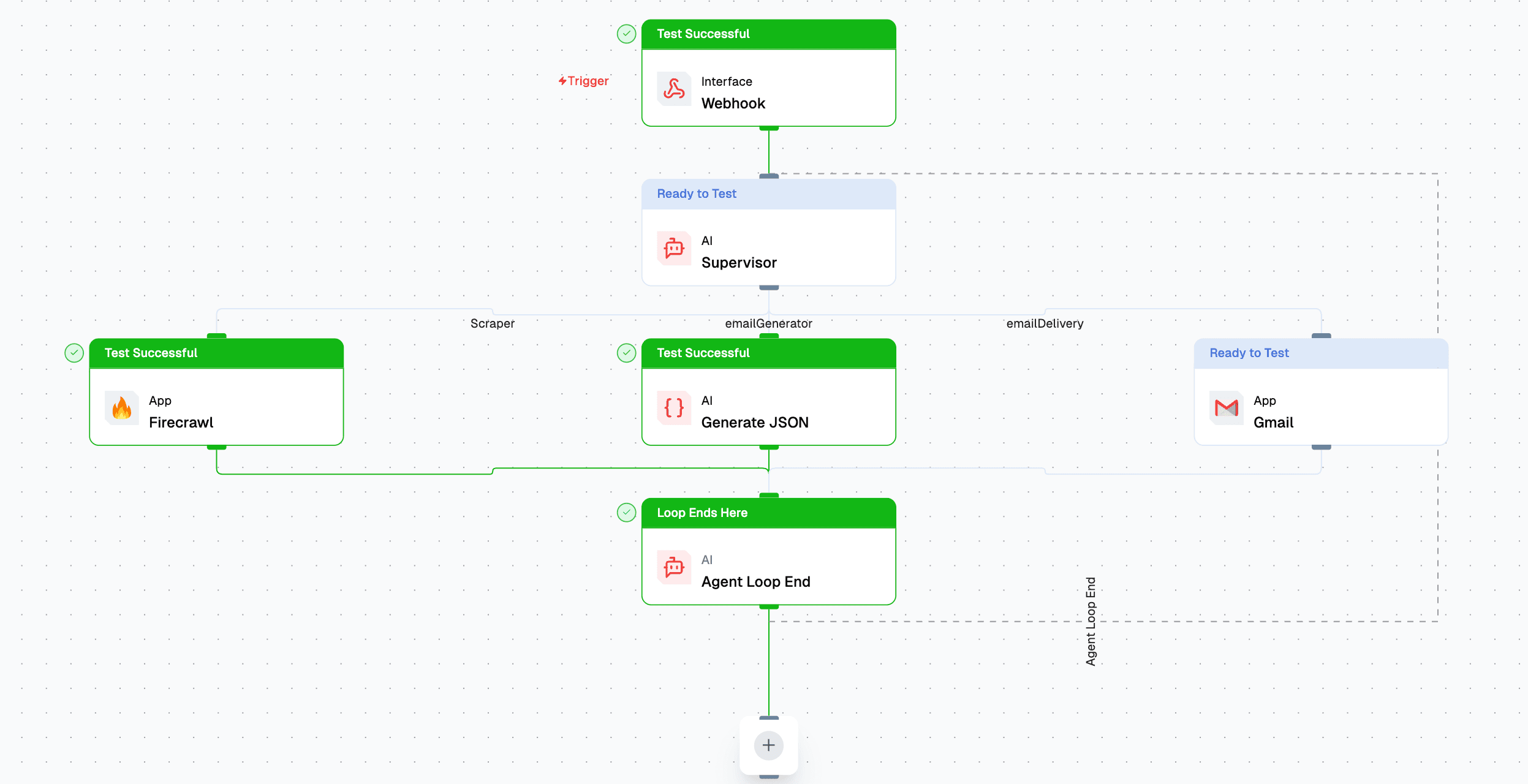
Agents are AI-powered components in Lamatic that handle different types of tasks, such as generating text, processing structured data, and orchestrating multi-agent flow. This guide introduces the different agent types and how they function within the Lamatic ecosystem.
Prerequisites
What are Agents?
Agents are specialized AI entities that execute specific tasks based on input and predefined logic. They can work independently or as part of a larger workflow inside Flows. After deployment, you can interact with these agents via API Endpoints in a flow or execute them directly.
Types of Agents
1. Supervisor Agent
A Supervisor Agent orchestrates multiple AI agents, ensuring structured flow by dynamically routing tasks based on input conditions.
- Key Features:
- Multi-agent coordination for structured execution.
- Memory retention for context-aware interactions.
- Adaptive execution paths based on agent responses.
- Check out the Supervisor Agent for more details.
2. Generate Text Agent
A Text Generation Agent produces AI-generated content based on prompts. This agent is ideal for generating responses, summarizing content, or creative writing.
- Key Features:
- Supports advanced language models for text generation.
- Configurable temperature and response length.
- Ideal for chatbots, content generation, and summarization.
- Check out the Text Agent for more details.
3. Generate JSON Agent
A JSON Agent structures AI-generated responses into JSON format, making it useful for APIs and automated processing pipelines.
- Key Features:
- Generates structured JSON outputs.
- Useful for integrating AI with databases or APIs.
- Ensures predictable response formats.
- Check out the JSON Agent for more details.
4. Multi-Modal Agent
A Multi-Modal Agent processes and generates outputs across different data types, including text, images, and structured data.
- Key Features:
- Supports vision-language models.
- Processes multiple data types simultaneously.
- Useful for applications like AI-powered design assistants.
- Check out the Multi-Modal Agent for more details.
Best Practices
- Choose the Right Agent: Select the agent type that best suits your task requirements.
- Optimize Prompts: Well-structured prompts lead to better AI outputs.
- Use Memory Wisely: Enable memory retention for agents that need contextual awareness.
- Test & Iterate: Experiment with different configurations for the best results.
By leveraging these agent types effectively, you can build powerful AI-driven applications inside Lamatic.ai.
Troubleshooting
- Agent not responding: Check that the agent is deployed and the project is active
- Unexpected output format: Verify the agent type matches your use case (e.g., use JSON Agent if you need structured output)
- Memory issues: Review memory configuration if the agent isn’t retaining context between calls
Next steps
- Learn how to create agents: Getting Started with Agents
- Explore specific agent types:
- Integrate agents into your application: Authentication with API Keys