HuggingFace
Hugging Face is a leading platform for building, hosting, and deploying state-of-the-art machine learning models. With its extensive model hub and flexible deployment options, Hugging Face allows you to use both public models and your own self-hosted endpoints. Lamatic.ai Studio enables seamless integration of these models, whether you use a managed public endpoint or a private, self-hosted endpoint for custom or fine-tuned models.
Lamatic.ai Studio supports both public (open-source) and private (self-hosted/dedicated) Hugging Face models.
You can integrate popular models from the Hugging Face Hub or connect your own secure, fine-tuned endpoints for production use.
huggingfaceSetup
Step 1: Create a Hugging Face Account
- Go to the Hugging Face Hub and sign up or log in.
- Complete account verification if prompted.
Step 2: Prepare Your Model Endpoint
Option A: Public Model Endpoint
- Browse the Hugging Face Hub and find the open source model you wish to use.
- Click the Use this model dropdown, then under the Inference section, click Inference Providers.
- Select the inference provider you want to use.
- Copy the model name.
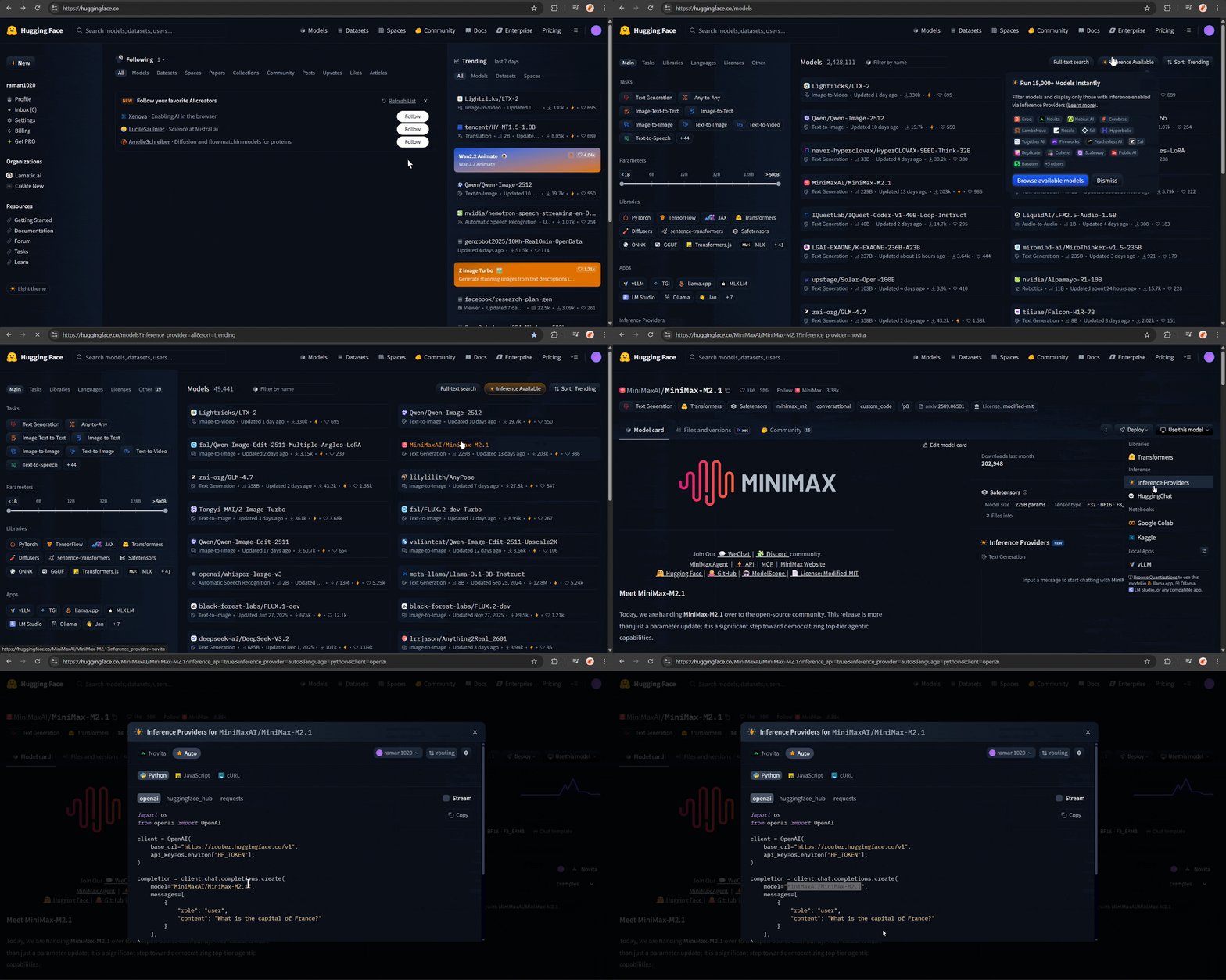
- The public inference API endpoint is:
https://router.huggingface.co
Option B: Self-Hosted (Dedicated) Inference Endpoint
- Go to Hugging Face Inference Endpoints.
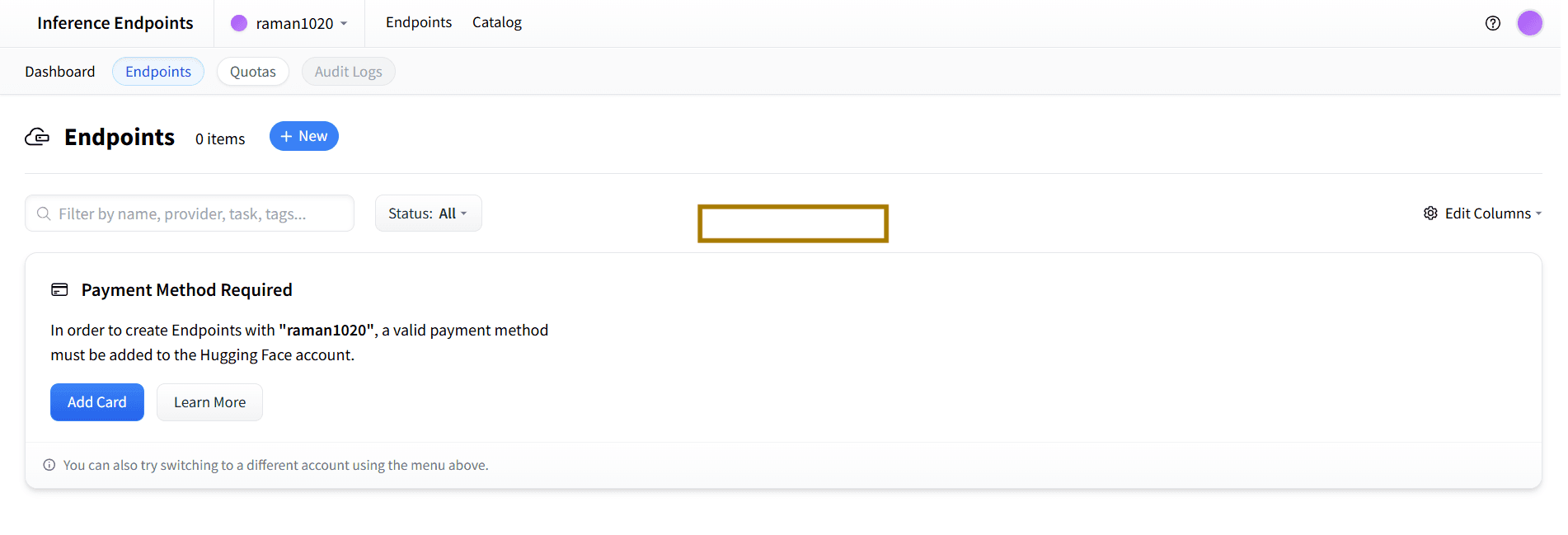
- Create a new endpoint for your private or fine-tuned model.
- Once deployed, copy the Base URL of your endpoint (e.g.,
https://your-namespace.hf.space/proxy/your-endpoint).
Step 3: Generate Access Token
- Visit Hugging Face Access Tokens.
- Create a new token with
readorinferencepermissions. - Copy your access token (you will need it for Lamatic.ai Studio).
Step 4: Configure in Lamatic.ai Studio
- Open Lamatic.ai Studio.
- Navigate to the Models section.
- Select HuggingFace from the provider list.
- Enter the following depending on your setup:
- Public model:
- Paste the public inference API URL and the model name.
- Paste your Hugging Face access token.
- Self-hosted endpoint:
- Paste your dedicated endpoint Base URL.
- Paste your Hugging Face access token.
- Public model:
- Save your configuration.
 Hugging Face Model Configuration in Lamatic.ai Studio
Key Features
- Custom & Fine-Tuned Models:
Connect your own models or use domain-specific fine-tuned endpoints. - Public Model Access:
Quickly integrate popular open-source models from the Hugging Face Hub. - Self-Hosted Endpoints:
Use private, scalable endpoints for production workloads and enhanced security. - Seamless Integration:
Easily manage models from both public and private endpoints in Lamatic workflows. - Secure Authentication:
All access is managed via Hugging Face tokens. - Provider-Level Customization:
Override default behaviors per model or endpoint as needed.
For advanced options, see Custom Model Integration.
Available Configuration Options
- Model URL and Name: The public model name, public API endpoint URL, or self-hosted endpoint Base URL
- Access Token: Your Hugging Face access token (required for both public and private endpoints)
Best Practices
- Credential Security: Keep your access tokens private and never share them.
- Token Rotation: Regularly rotate your Hugging Face tokens.
- Testing: Test model responses after integration.
- Production: Use self-hosted, dedicated endpoints for critical or production workloads.
- Monitoring: Monitor rate limits and usage from your Hugging Face account.
Troubleshooting
Invalid Token:
- Ensure your access token is correct and has the required permissions.
- Confirm your Hugging Face account is active.
Access Denied:
- Check your token’s permissions and endpoint/model visibility.
- Make sure you have access to the deployed endpoint if using self-hosted.
Model or Endpoint Not Found:
- Double-check the model name or endpoint URL.
- Confirm you have access to the model or endpoint.
Rate Limit Exceeded:
- Wait before retrying requests.
- Upgrade your Hugging Face plan if necessary.
Integration Errors:
- Confirm Lamatic.ai Studio configuration matches your Hugging Face setup.
- Consult Hugging Face Docs and Lamatic Support for troubleshooting.
Additional Resources
Need help? Contact Lamatic Support.