Deepinfra
No sections found for this integration
The integration documentation may not have the expected structure
DeepInfra is a cloud infrastructure platform focused on making AI model deployment and serving more accessible and cost-effective. It provides developers and businesses with easy access to a wide range of AI models through a unified API.
Provider Slug:
deepinfraSetup
Step 1: Create Deepinfra Account
- Visit the deepinfra Dashboard
- Sign up for a new account or log in to your existing account
- Complete the account verification process
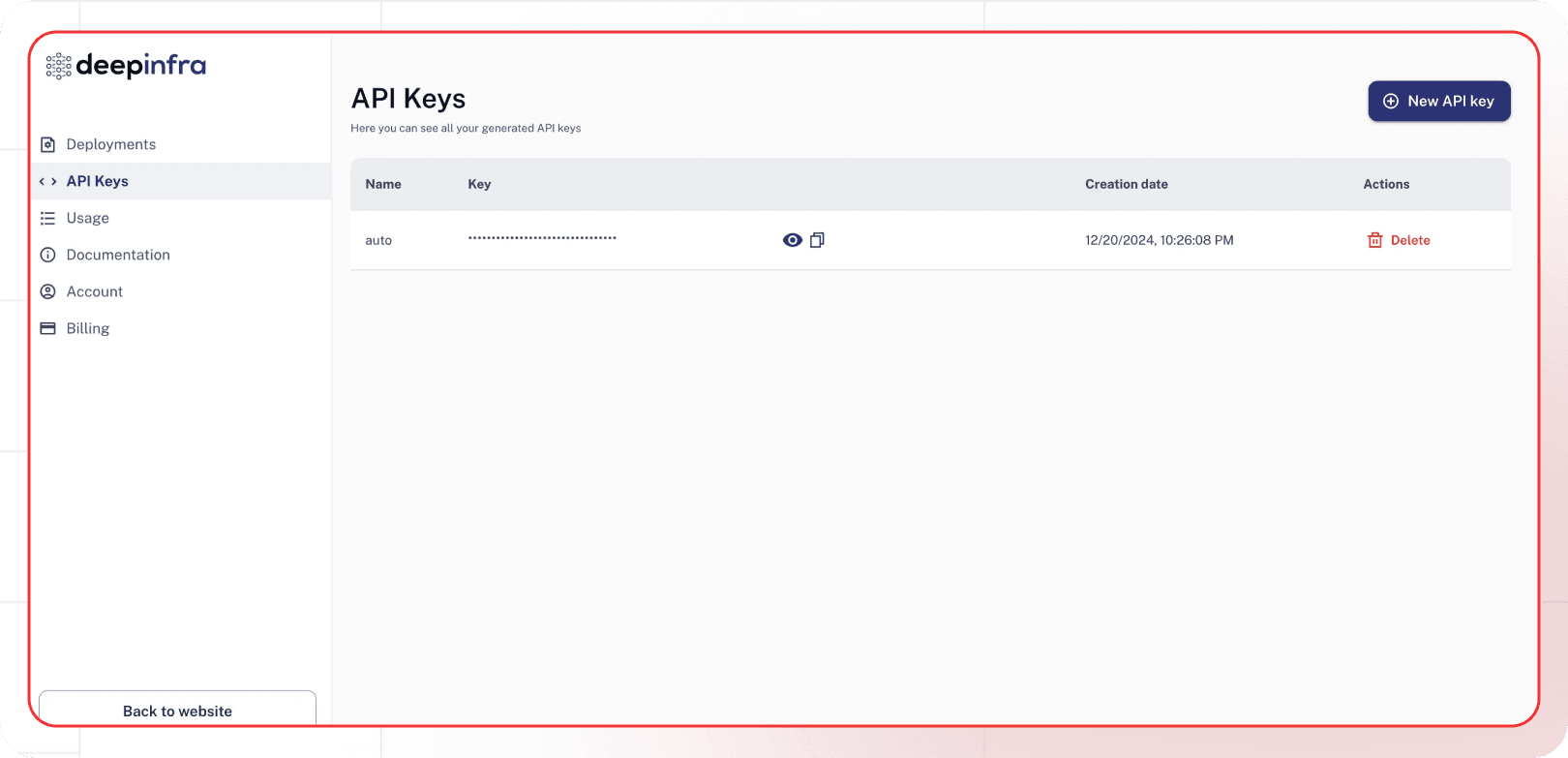
Step 2: Generate API Key
- Navigate to the API Keys section in your Deepinfra dashboard
- Click Generate New Key
- Give your API key a descriptive name
- Copy the generated API key (you won’t be able to see it again)
Step 3: Configure in Lamatic
- Open your Lamatic.ai Studio
- Navigate to Models section
- Select Deepinfra from the provider list
- Paste your API key in the designated field
- Save your changes
Key Features
- Wide Model Selection: Access to hundreds of open-source and proprietary models
- Cost Effective: Competitive pricing for model inference
- High Performance: Optimized infrastructure for fast model serving
- Easy Integration: Simple API for model deployment and inference
- Scalable: Automatic scaling based on demand
- Developer Friendly: Comprehensive documentation and SDKs
Available Models
Deepinfra supports a wide variety of models including:
- Open Source Models: Llama, Mistral, CodeLlama, and many others
- Proprietary Models: Access to various commercial models
- Specialized Models: Models for specific tasks like coding, reasoning, and creative writing
- Multimodal Models: Models that can process both text and images
Check the Deepinfra Models page for the complete list of available models and their specifications.
Configuration Options
- API Key: Your Deepinfra API key for authentication
- Model Selection: Choose from available Deepinfra models
- Custom Parameters: Configure temperature, max_tokens, top_p, and other generation parameters
- Streaming: Enable real-time text generation streaming
- Model Deployment: Deploy custom models if needed
Best Practices
- API Key Security: Keep your API keys secure and never share them publicly
- Rate Limiting: Be aware of Deepinfra’s rate limits and implement appropriate throttling
- Model Selection: Choose the appropriate model based on your use case and budget
- Error Handling: Implement proper error handling for API failures and rate limits
- Cost Optimization: Monitor your usage and optimize prompts to reduce token consumption
- Performance Monitoring: Track model performance and latency for your specific use cases
Troubleshooting
Invalid API Key:
- Verify your API key is correct and hasn’t expired
- Check if your account has sufficient credits
- Ensure the API key has the necessary permissions
Rate Limit Exceeded:
- Implement exponential backoff in your requests
- Consider upgrading your Deepinfra plan for higher limits
- Monitor your usage in the Deepinfra dashboard
Model Not Available:
- Check if the model is available in your region
- Verify your account has access to the specific model
- Contact Deepinfra support for model availability issues
Authentication Errors:
- Ensure your API key is properly formatted
- Check if your account is active and verified
- Verify you’re using the correct API endpoint
High Latency:
- Check if the model is currently under high load
- Consider using a different model or region
- Monitor Deepinfra’s status page for any service issues
Important Notes
- Keep your API keys secure and never share them
- Regularly rotate your API keys for enhanced security
- Monitor your usage and costs in the Deepinfra dashboard
- Test your integration after adding each key
- Some models may require additional setup or approval
- Be aware of Deepinfra’s terms of service and usage policies
Additional Resources
Need help? Contact Lamatic support